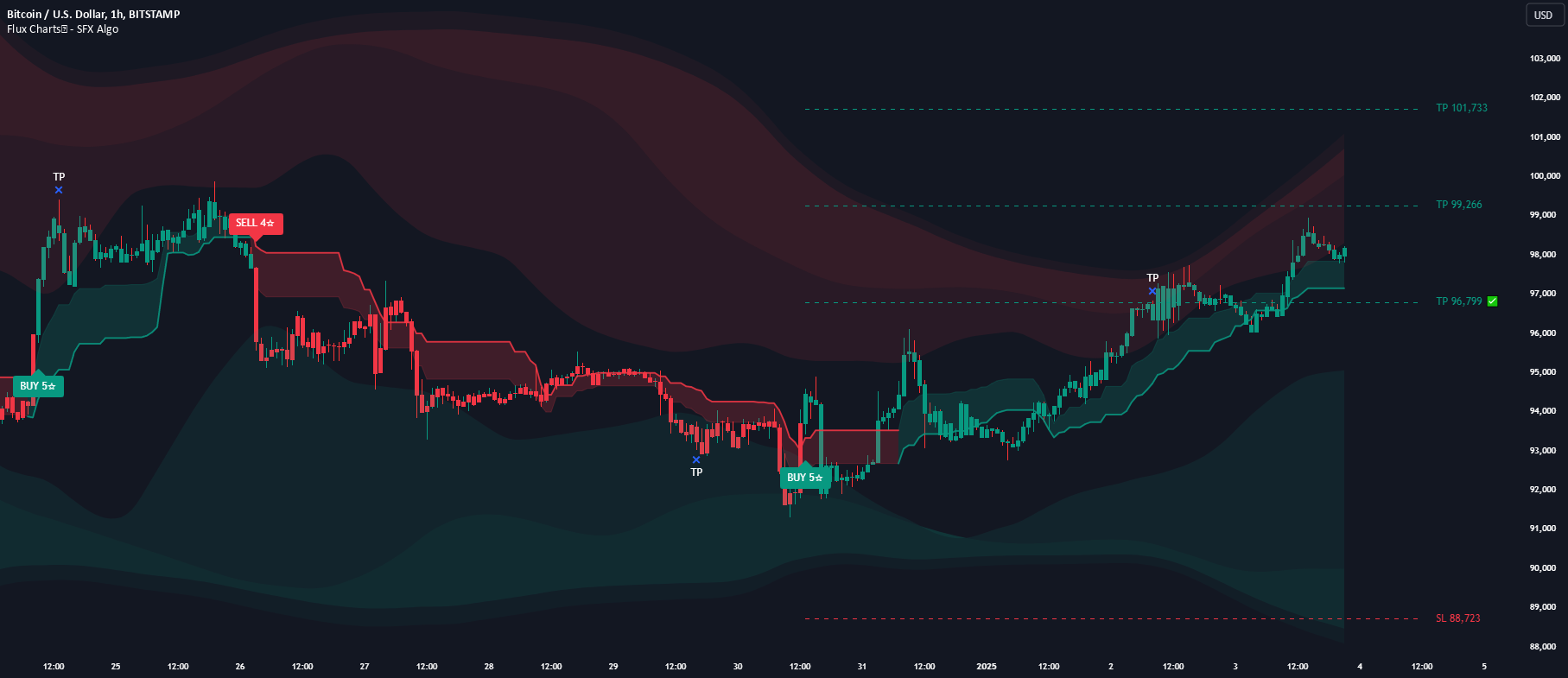
How to Automate a TradingView Strategy in 2026: A Practical Guide for Pine Script and AI-Built Strategies
You have a strategy in TradingView that backtests well. The equity curve is smooth, the drawdown is manageable, and the signals have held up out of sample. Now the question every serious trader eventually asks: how do I actually run this thing live without babysitting a chart 18 hours a day? If you want to automate a TradingView strategy and push its entries and exits straight to a brokerage account, the stack you need sits somewhere between strategy.entry() in Pine Script and your broker’s order API — and the details in that middle layer make or break the whole operation.
This guide walks through the full pipeline end to end. It is meant for traders who already understand how their strategy is supposed to behave and want a grounded, honest look at what it takes to run it autonomously. We will cover how Pine Script strategies differ from indicators for automation purposes, what a clean webhook payload looks like, where latency and idempotency bite people, and how the newer AI-built strategy workflow changes the picture in 2026.
Strategy vs. Indicator: The Distinction That Changes Everything
Before going any further, it is worth getting precise about what “automate a TradingView strategy” actually means. TradingView Pine Script has two script types that people often conflate:
Indicators use the indicator() declaration and draw things on a chart — moving averages, RSI, custom oscillators. They can fire alerts via alertcondition() or alert(), but they do not have a native concept of a trade. You have to build trade logic around them manually.
Strategies use the strategy() declaration and include first-class trade functions: strategy.entry(), strategy.exit(), strategy.close(), strategy.order(). These produce a backtest inside TradingView and, crucially for automation, can send strategy-aware alerts when an order event happens in the simulated strategy.
Automating a strategy is meaningfully different from automating an indicator alert. With a strategy, you have the full order state inside Pine Script: which position is open, what size, what average entry price. You can reference that state with placeholders like {{strategy.order.action}}, {{strategy.order.contracts}}, {{strategy.position_size}}, and {{ticker}} inside the alert message body. The alert becomes a structured description of an order the strategy just generated — not just “price crossed 50 SMA.”
If you skip this distinction and try to automate a plain indicator with alertcondition(), you end up reinventing the state machine that a strategy() script already gives you for free. For any non-trivial automation, start from a strategy script.
The Pipeline: From Strategy.Entry to Filled Order
Every automated TradingView strategy follows the same four-stage pipeline. Understanding each stage makes it far easier to debug when something goes wrong — and something will always go wrong on live capital.
- Strategy signal. Your Pine Script strategy calls
strategy.entry("Long", strategy.long, qty=1)or similar. On a TradingView-hosted chart, this is evaluated bar by bar. - Strategy alert. You configure a single alert on the strategy with an
{{strategy.order.action}}-driven message. When the strategy fires an order, TradingView sends an HTTP POST to a webhook URL you provide. - Automation relay. A middleware service receives the webhook, parses the JSON payload, validates it, and translates it into the correct API call for your broker. This is where authentication, order sizing, and safety checks happen.
- Broker execution. The broker receives the order through its official API, matches it in the market, and returns a fill confirmation. The relay then optionally reports the fill back to you or logs it for reconciliation.
On a well-tuned stack, the total wall-clock time from Pine Script firing strategy.entry() to the broker returning a fill is typically in the 300 to 800 millisecond range. Most of that time is TradingView’s internal alert dispatch and network hops — the relay translation itself is usually tens of milliseconds.
Prerequisites to Automate a TradingView Strategy
Before any of this works, you need three things in place.
TradingView Essential or higher. Webhook notifications on alerts are not available on the free tier. As of 2026, you need at least the Essential plan (formerly Pro) to send alerts to external URLs. For intraday strategies, the Plus or Premium tiers give you more concurrent alerts and shorter intraday intervals, which matters if your strategy evaluates on 1- or 5-minute bars.
A broker with a real API. The brokerage has to support programmatic order submission — not just a web portal. Interactive Brokers, Alpaca, Coinbase, Kraken, Webull, and Tastytrade all expose APIs that are suitable for automation, each with its own quirks around authentication, order types, rate limits, and asset coverage. If you are trading US equities with a broker that only has a manual trading UI, there is nothing upstream you can do to automate the last mile.
A relay or middleware layer. Unless you are comfortable running your own always-on server that receives webhooks and calls broker APIs, you will want a relay platform to handle the translation. There is no technical reason you cannot build this yourself — it is a webhook receiver, a JSON parser, and a broker API client. But the engineering and operational burden is real, especially around uptime, retries, position reconciliation, and secret management.
Writing a Pine Script Strategy That Plays Nicely With Automation
A strategy that looks great in a backtest can still be a nightmare to automate. A few patterns make the difference.
Avoid repainting indicators
If your strategy references an indicator that can repaint — meaning its past values change when new bars arrive — your backtest will disagree sharply with live execution. Automated alerts fire in real time, not on historical bars, so repainting logic will happily send trades that the backtest never actually took. Before automating, always verify that your strategy runs the same on “Bar Close” alerts as it does in the strategy tester.
Use bar-close evaluation, not intrabar
In the alert creation dialog, set “Trigger” to “Once Per Bar Close” rather than “Once Per Bar” or “Every tick.” Evaluating intrabar opens you up to whipsaw entries that may reverse before the bar closes, at which point your backtest would have never taken the trade in the first place. This one setting is the single most common source of live-vs-backtest divergence traders complain about.
Keep position sizing explicit in the payload
Use {{strategy.order.contracts}} in the webhook message so the relay knows exactly how many shares or contracts the strategy wanted. Do not hardcode lot sizes in the relay configuration — if you change the Pine Script sizing logic and forget to update the relay, you will trade a different size than your backtest assumed. This is also why percent-of-equity sizing should be computed inside Pine Script and passed out as an explicit contract count, not recomputed downstream.
Build in a “flat” safety action
Many experienced traders add a manual “flatten” alert on a separate alert line that closes all positions and cancels all open orders at your broker. Treat it as a kill switch. If the strategy goes sideways in a way you did not anticipate, you want a single click that returns you to cash without having to dig through your broker’s UI.
The Webhook Payload: What Actually Gets Sent
When TradingView fires a strategy alert, it sends the alert’s message body as the HTTP POST body to your webhook URL. The convention most relay platforms converge on is JSON. A realistic payload for a stock strategy looks like this:
{
  "action": "{{strategy.order.action}}",
  "ticker": "{{ticker}}",
  "contracts": "{{strategy.order.contracts}}",
  "position_size": "{{strategy.position_size}}",
  "order_id": "{{strategy.order.id}}",
  "order_price": "{{strategy.order.price}}",
  "time": "{{timenow}}",
  "account": "live",
  "strategy": "momentum_v3"
}
A few things worth calling out in that payload:
- order_id lets the relay deduplicate. If TradingView retries an alert, or if your network drops and reconnects, the relay can check whether that order ID has already been processed and skip it. Without this, you can get doubled fills.
- position_size carries the strategy’s notion of current position after the order. A sanity check in the relay can compare this to the broker’s reported position and alert you if they drift.
- strategy is a human-readable tag. If you are running multiple strategies into the same account, you want every order tagged so you can reconcile performance per strategy later.
- account is a flag the relay reads to decide between paper and live. Promoting from paper to live should be a one-line change, not a full reconfigure.
A common pitfall is treating the webhook message as free text. TradingView does not validate that your message body is valid JSON — if you misplace a brace or a quote, the relay will receive garbage and silently drop orders. Always test a strategy alert against a mock webhook endpoint (webhook.site works well) before wiring it up to a live relay.
Choosing a Relay Platform in 2026
The middleware layer is where the interesting tradeoffs live. Here is how the options sort out.
Self-hosted scripts
A Python or Node service behind a public HTTPS endpoint can receive TradingView webhooks and call broker APIs directly. This is the cheapest option financially and the most flexible technically. It is also the most operationally demanding — you own uptime, certificate renewal, broker API quirks, logging, and alerting. For one trader running one strategy on one broker, the engineering overhead often outweighs the savings.
Forex/MT bridges
Tools in the PineConnector family focus narrowly on MetaTrader 4 and MT5 integration. If you trade forex or CFDs through an MT4/MT5 broker, these are effective and cheap. The hard limit is the ecosystem: they do not cover equities, crypto exchanges, or US-regulated futures brokers.
Multi-broker relay platforms
These are the purpose-built services that receive TradingView webhooks and forward to stock, crypto, and futures brokers through a single interface. The differentiators between them are broker coverage, latency, position tracking, paper-trading support, and how they handle failure. Pricing generally runs between $50 and $300 per month for retail users, with enterprise tiers higher.
When evaluating any relay, run this short checklist:
- Does it support your specific broker? Not asset class — broker. “Supports stocks” can mean anything from Alpaca to Tradier to Tastytrade.
- What is the median webhook-to-order latency? Sub-500ms end to end is a reasonable baseline. For higher-frequency setups, you want numbers, not marketing copy.
- Is there a paper mode that mirrors live? Running identical code against a paper broker for a week before funding the live account is the single best way to catch configuration mistakes.
- How are partial fills handled? If the broker only fills 7 of your 10 shares, what does the relay do? Does it update the position tracker? Does it retry the remainder?
- What happens during an outage? If the relay is unreachable when a webhook fires, does TradingView retry? Does the relay reconcile missed webhooks on reconnect?
- Multi-strategy, multi-account support. If you plan to run multiple strategies or copy trades across accounts, make sure the relay does this natively instead of requiring duplicate setups.
AI-built strategies with integrated execution
The category that has matured most in the past year is the “describe a strategy in plain English, then trade it” workflow. Instead of hand-writing Pine Script, you describe the entry and exit logic to an AI assistant, the system generates and backtests the strategy, and the same platform routes the live alerts to your broker. The advantage is not just that it lowers the scripting barrier — it is that the strategy, backtest, and execution path all live in the same system, which eliminates a lot of the webhook configuration overhead that accounts for most live-vs-backtest divergence.
Ontology Trading is one example of this integrated approach. The platform combines an AI strategy builder chat — where you describe multi-condition strategies conversationally and iterate on the logic until it matches what you want — with a relay layer that connects to Interactive Brokers, Alpaca, Coinbase, Kraken, Webull, Tastytrade, and others. If you already have a working Pine Script strategy, the relay side alone is still useful. If you are starting from an idea rather than code, the full loop of “describe → backtest → automate” avoids the usual seam between strategy authoring and live execution. For a more detailed look at the strategy builder side, the Ontology Trading site has walkthroughs.
Security and Safety: What Every Automated Strategy Needs
Once real money is flowing through the pipeline, the non-trading-specific parts of the system matter more than the strategy logic.
Secret the webhook URL. A TradingView webhook URL is a bearer token. Anyone who knows it can submit trades on your behalf. Treat it like a password. Rotate it if a screenshot ever appears anywhere. Most mature relay platforms require a signed token or account-specific secret in the payload to mitigate exposed-URL risk — confirm yours does.
Position and order limits at the relay. Configure maximum order size, maximum position size, and cooldown windows between orders at the relay level, not just in Pine Script. A bug in the strategy is much less dangerous if the relay refuses to submit a 100,000-share order when your account size says 500 is the ceiling.
Trading-hours guards. Strategies that reference session-based indicators can misbehave around the open, close, and overnight session. A relay-side check that rejects orders outside configured hours prevents a strategy that glitched at 3 AM from putting on a position nobody is awake to monitor.
Kill switch and alerting. You need a way to stop all automated trading in one action, and you need to know when things go wrong. At minimum, any order rejection or webhook error should ping your phone. Silent failures are how accounts drift from the plan without anyone noticing.
Broker-side account protections. Most brokers let you set account-level risk limits that bypass any software layer. Setting a daily loss limit and a max open position at the broker is a defense-in-depth measure that protects you even if every layer above fails.
Common Pitfalls Experienced Traders Still Hit
A handful of issues show up again and again in r/algotrading threads and forum postmortems. If you are new to automating a TradingView strategy, these will cost you money faster than strategy flaws will.
Live vs. backtest divergence. Almost always caused by one of three things: repainting indicators, intrabar evaluation, or broker fill assumptions the backtest did not model (slippage, partial fills, locate requirements on shorts). Before funding the account, run the strategy in paper mode for at least a few weeks and compare the live tape to the backtest period it overlaps. If they diverge by more than slippage can explain, find the cause before funding.
Double fills and missed exits. When TradingView retries an alert or when the broker is slow to acknowledge, it is easy to end up with two open positions when you wanted one, or to miss a closing order entirely. Idempotency in the relay — driven by the {{strategy.order.id}} placeholder — is the fix. Confirm your relay enforces it.
Overnight or weekend gaps. If your strategy holds positions through off-hours events, a 4% gap against you on Monday morning is not handled by Pine Script’s synthetic fills. Model the worst-case gap into your position sizing, and consider hard stop-loss orders at the broker rather than relying solely on strategy-side exits.
Broker-specific order types. Pine Script only knows about a small vocabulary of order types: market, limit, stop. Your broker may support dozens more, with rules and priorities that matter. A “market” order to Alpaca extended hours, for example, behaves differently than a “market” order at the Interactive Brokers RTH open. If your strategy depends on a specific order type, confirm that the relay forwards the correct broker-side instruction.
Rate limiting. Brokers meter API calls. A noisy strategy that fires many alerts per minute can get throttled, resulting in dropped orders. Keep the alert cadence reasonable, cache what the relay can, and monitor for 429 responses in the relay logs.
Stepwise: How to Automate a TradingView Strategy End to End
Putting the whole thing together, a typical first-time setup looks like this:
- Finalize the Pine Script strategy. Confirm it uses the
strategy()declaration, notindicator(). Walk-forward test it across at least one full market regime. Verify bar-close behavior matches backtest. - Choose a broker and verify API access. Apply for API access (several brokers require a brief application), generate keys, and confirm paper-trading credentials work.
- Pick a relay platform. Run the checklist above. Confirm paper mode and your specific broker are both supported.
- Connect the relay to your broker. Enter API credentials in the relay, confirm it can read account balance and place a single paper market order through its UI.
- Configure the webhook alert. Create one strategy alert per symbol you want to automate. Set the trigger to Once Per Bar Close. Paste the relay-provided webhook URL. Set the message body to the JSON payload required by your relay (usually with the
{{strategy.order.action}},{{strategy.order.contracts}},{{ticker}}, and{{strategy.order.id}}placeholders). - Test end to end in paper. Force a trade by editing the strategy to always enter a tiny position on the next bar. Confirm the paper account gets a fill, the relay logs show the translation, and the position reconciles. Revert the strategy.
- Monitor for at least two weeks in paper. Compare paper fills to what the backtest says for the same bars. Investigate any discrepancy.
- Promote to live with a small position size. Start at 10–20% of intended live sizing. Monitor daily for at least a month before scaling up.
- Add alerting and a kill switch. Make sure the relay can page you on failure, and have a manual “flatten” alert ready to close all positions.
Why Traders Are Moving Beyond Pine Script
Pine Script is a productive language for describing TradingView strategies, but it has real limits. It runs inside TradingView’s execution context, it cannot hold state outside a single symbol, and complex multi-symbol or multi-timeframe strategies get awkward fast. For traders who want more complex logic — multi-leg options spreads, pair trades, intermarket filters — the workflow of “build in Pine, bridge out to a broker” starts to strain.
This is where the AI strategy builder category earns its keep. Describing a strategy like “buy the breakout above the 20-day high when sector RS is positive and sell when either the 20-day low breaks or the trailing ATR stop hits” is much faster in natural language than in Pine Script — and more importantly, the platform can generate the full execution chain without forcing you through a separate webhook-to-broker setup. For many traders, the win is not that AI writes better strategies than they can (it often does not); the win is that the strategy, the backtest, and the live order routing are one tightly integrated system instead of three loosely coupled ones.
Whether you stay with hand-written Pine Script or move to a natural-language builder, the principles above — explicit sizing, bar-close evaluation, idempotent webhooks, paper validation, hard safety limits — do not change. They are the difference between an automated strategy that helps you and one that surprises you at the worst possible moment.
Frequently Asked Questions
Can I automate a TradingView strategy without writing any Pine Script?
Yes. Several platforms now let you describe a strategy in natural language and handle the code generation and broker execution for you. If you already have a Pine Script strategy, you can still automate it directly — but you no longer need Pine Script knowledge to get an automated strategy live.
Which TradingView plan do I need to automate a strategy?
You need at least the Essential plan (formerly Pro) to use webhook alerts. Higher tiers give you more concurrent alerts and shorter intraday intervals, which matters for strategies evaluated on 1-minute or 5-minute bars. Webhook support is not available on the free tier.
How do I prevent my automated strategy from double-filling?
Include {{strategy.order.id}} in the webhook payload and use a relay that deduplicates by order ID. The order ID is unique per strategy-generated order, so even if TradingView retries the alert, the relay will recognize the duplicate and skip it. Combined with “Once Per Bar Close” evaluation, this handles almost all double-fill scenarios.
Is it safe to give a relay platform my broker API keys?
It depends on the relay’s security posture. Look for platforms that encrypt credentials at rest, support read-only or trading-only API scopes where your broker offers them, and have an account-level secret separate from your broker keys. Never use keys that grant withdrawal permissions for an automation relay — most brokers let you generate trading-only keys that cannot move funds off the account.
Why does my live strategy behave differently than my backtest?
The three usual causes are: repainting indicators, intrabar alert evaluation instead of bar-close, and unrealistic fill assumptions in the backtest. Switch alerts to “Once Per Bar Close,” verify your indicators do not repaint, and model slippage and partial fills in your backtest. If divergence persists, run a week of paper trading and compare the paper fills bar by bar to what the backtest says.
Can I automate a TradingView strategy on multiple brokers at once?
Yes, with a relay that supports multi-account routing. You can send the same webhook to multiple broker destinations, or tag accounts in the payload and let the relay fan out. This is useful for traders running the same strategy in a taxable account and a retirement account, or across crypto and equity legs of a combined strategy.
What happens if my internet goes out while the strategy is running?
TradingView hosts your strategy in its cloud, so alerts will still fire. The question is whether the webhook can reach your relay. If the relay is cloud-hosted, your home internet dropping does not affect automation — alerts go TradingView → relay → broker without touching your machine. If you self-host the relay on a home server, your internet becomes a single point of failure, which is one of the main reasons to use a managed relay for serious capital.
How much latency is acceptable for an automated TradingView strategy?
For daily and swing strategies, anything under one second is fine. For intraday strategies on 5-minute or 15-minute bars, you want the end-to-end latency from alert fire to broker fill under 500 milliseconds. For scalping on 1-minute bars, TradingView webhook automation starts to strain — the architecture adds latency that fast strategies cannot absorb, and most serious sub-minute traders move to direct broker API integration instead.
Do I need a dedicated server to automate my strategy?
Not if you use a managed relay. Managed relays run in the cloud and are always online. If you want to build your own relay, you will want a cheap VPS with a static IP and automatic restart — not a laptop. Home networks and laptops are not reliable enough for a strategy that trades unattended.
Putting It Together
Automating a TradingView strategy is less about any single tool and more about understanding the whole pipeline: strategy script, alert configuration, webhook payload, relay translation, broker API, execution, and reconciliation. Most of the horror stories you read about automated trading trace back to a failure in one of those stages that no backtest would have caught. The good news is that the failure modes are well understood, and the checklist to avoid them is finite.
If you are starting out, the most useful move is to get a minimal paper-trading pipeline working end to end on one symbol and one broker, then harden it with idempotency, size limits, and alerting before scaling to more symbols or live capital. If you already have a working setup, the upgrade path in 2026 is usually not a different relay — it is an integrated strategy-and-execution platform that collapses the seams you are currently hand-managing. Either way, the gap between “this strategy backtests well” and “this strategy runs live without surprising me” is entirely within your control, and it is always worth closing deliberately.
For more on how an integrated automation stack looks in practice, you can explore Ontology Trading, review related guides on TradingView-to-broker automation and Pine Script to live trades, or reach out through the contact page on the site.