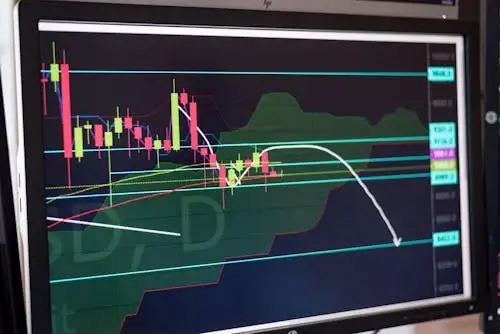
TradingView Alert to Order: How the Signal Actually Becomes a Live Trade
Every automated TradingView strategy ends in the same operational question: how does a chart alert turn into a real broker order at the right size, with the right stop, on the right account? The marketing pages skip this part. The Pine Script tutorials skip this part. And it is the part that decides whether your backtest results survive contact with live markets.
This guide walks the full alert-to-order chain stage by stage, names where money actually leaks (latency, partial fills, deduplication, reconnects), and compares the practical options for routing TradingView alerts into broker APIs. It is written for the trader who has built a strategy on TradingView, has seen the alert fire, and is now asking the practical question: what happens between the bell sound and the order ticket?
The Six Stages of the Alert-to-Order Chain
An alert posted on a chart and an order resting at a broker are separated by six measurable stages. Latency, idempotency, and reliability all live in the gaps between them. If you do not know which stage your platform owns, you cannot debug a missed trade.
| Stage | What Happens | Typical Latency | Owner |
|---|---|---|---|
| 1. Bar close to alert evaluation | TradingView’s server checks alert conditions on a closed bar | 0–200ms | TradingView |
| 2. Alert fires & webhook posts | JSON payload sent to your webhook URL via HTTPS POST | 50–400ms | TradingView outbound |
| 3. Relay receives & validates | Auth check, schema validation, deduplication by alert ID | 5–50ms | Relay platform |
| 4. Order construction | Position sizing, symbol mapping, stop/target attachment | 5–30ms | Relay platform |
| 5. Broker API submission | REST or FIX call to broker, signed, with idempotency key | 80–500ms | Relay + broker |
| 6. Acknowledgment & fill | Order accepted, routed to exchange, fills returned | 50–800ms | Broker + exchange |
End-to-end, a healthy chain runs about 200–800ms from bar close to filled order on liquid US equities and major crypto pairs. Anything over 1.5 seconds is a yellow flag; anything over 3 seconds means the relay, the broker connection, or the network path needs auditing. The number that matters is not the average — it is the 95th percentile under load. A relay that posts 250ms typical and 4,000ms p95 is unusable for any strategy that trades the close of a 1-minute bar.
What the Webhook Payload Actually Looks Like
TradingView alerts send a JSON body to whatever URL you configure. The minimum useful payload includes the symbol, the action, the size, and an alert identifier the relay can use to deduplicate retries. A typical Pine Script alert message field looks like this:
{
  "alert_id": "{{strategy.order.id}}-{{time}}",
  "ticker": "{{ticker}}",
  "action": "{{strategy.order.action}}",
  "qty": "{{strategy.order.contracts}}",
  "price": "{{close}}",
  "strategy": "ema_cross_v3",
  "account": "main",
  "secret": "REPLACE_WITH_TOKEN"
}
Three things matter operationally. First, the alert_id needs to be unique per fire — combining the strategy order ID with the bar timestamp gives you both a logical identity and a tie-breaker for duplicate posts. Second, the secret field is the single line of authentication between TradingView and your broker; if it leaks, anyone with the URL can trade your account. Third, the price field should be treated as advisory only. By the time the broker submits the market order, the price has moved — the relay should not condition behavior on it unless the strategy explicitly uses limit pricing.
For platforms like Ontology Trading, the payload is generated automatically when you connect a TradingView account, so most users never write the JSON by hand. For DIY setups (a self-hosted relay or a serverless function), the alert message field in TradingView is where this JSON is pasted; the placeholders in double curly braces are TradingView’s variable substitutions, expanded at fire time.
Where Money Actually Leaks Between Alert and Fill
The advertised “alert-to-broker” latency on most platform marketing pages is segment 2 plus a piece of segment 3. The full chain has more failure modes than latency suggests. Five leak points cause more retail losses than slow networks do.
Duplicate fires. TradingView occasionally posts the same alert twice during reconnects or when its alert engine retries a failed delivery. Without deduplication on the alert ID, the relay submits two orders, and you get a doubled position you did not size for. This is the single most common cause of unexpected exposure in retail webhook setups. A correctly built relay drops the second post within milliseconds and logs it as a duplicate.
Partial fills with fixed-size stops. A market order for 100 shares might fill 60 immediately and the rest a tick later. If the relay attaches a static 100-share stop without listening for fill events, the stop is wrong from the moment the first 60 print. The fix is fill reconciliation — subscribing to broker fill events and adjusting the bracket to the actual filled quantity. Most cheap webhook tools skip this, and the cost is a leaked partial every time liquidity is thin.
Reconnect orphaning. If your relay drops its broker websocket for 30 seconds and a stop should have triggered during the gap, the position is unprotected. Properly built systems use broker-side bracket orders (one-cancels-other groups submitted as a unit) so protection lives at the broker even if the relay disappears. Webhook-only relays that manage stops “in software” are the most fragile category.
Symbol mapping mistakes. TradingView’s symbol for Brent crude is UKOIL; Interactive Brokers wants the actual futures contract month or the CFD code; Tastytrade uses its own continuous front-month convention. When the relay’s mapping table is wrong or stale, the correct alert routes to the wrong instrument. Audit the mapping table the first time you trade any new symbol on any new broker. Do it in paper. Once.
Account drift. If your strategy assumes a $50,000 account and you withdraw to $30,000 without updating the position-sizing config, every order is 67% too large. Position sizing should reference live account equity from the broker API, not a hard-coded value. Strategies built on an “account size” parameter without a refresh hook drift dangerously over weeks.
Comparing the Routing Architectures
Once you know the chain, the comparison between platforms simplifies. The honest question is not “which has the prettiest UI” — it is “which one owns stages 3 through 5 with idempotency, reconciliation, and reconnect logic.” Four architecture types exist in 2026, and they make different tradeoffs.
| Architecture | Best For | Main Tradeoff | Why It Matters |
|---|---|---|---|
| Hosted multi-broker relay | Traders who want one connection per broker, managed | Pay a monthly fee; trust someone else’s uptime | You inherit the platform’s reconnect, dedup, and reconciliation logic |
| Single-broker bot UI | Equity-only or crypto-only retail accounts | Locked in; broker outage = no fallback | Lowest latency in segment 5 but no portability |
| Self-hosted webhook server | Developers comfortable with broker SDKs | You own every failure mode, including the ones you have not anticipated | Full control; no monthly fee; full responsibility |
| Serverless function (AWS Lambda, etc.) | Low-volume strategies, single broker | Cold starts; harder to manage stateful reconnects | Cheapest at low volume but unpredictable p95 latency |
The hosted multi-broker relay is the architecture that has consolidated the retail market. It absorbs the idempotency, reconciliation, and reconnect work into the platform — and routes the same alert to whichever broker holds the account. Ontology Trading sits in this category, with relay support across Interactive Brokers, Alpaca, Webull, Tastytrade, Tradestation, Coinbase, and Kraken from a single TradingView alert payload.
How to Audit Your Own Alert-to-Order Chain in 30 Minutes
Before trusting any setup with real size, run this four-step audit. It surfaces the most common failure modes without burning capital.
- Latency probe. Set a paper-trading strategy to fire every minute on a 1-minute chart. Log the alert timestamp from TradingView, the relay’s receive timestamp, the broker’s order acknowledgment timestamp, and the fill timestamp. Run for one trading session. Plot the deltas. Anything where p95 exceeds 1.5 seconds is a problem.
- Duplicate test. Force a duplicate alert by configuring two TradingView alerts on the same condition. Confirm only one order reaches the broker. If two orders fire, the relay does not deduplicate, and you should not run any strategy that fires more than once a day on it.
- Partial fill test. Place a deliberately oversized market order on a thinly traded symbol during off-peak hours. Verify the relay tracks the actual fill quantity and adjusts the bracket. If the bracket sits at the original size, fill reconciliation is broken.
- Reconnect test. Pull the network plug on the relay (or stop the service) for 60 seconds. Confirm any open positions are still protected by broker-side stops. If protection only lives in the relay, your account is unsafe whenever the relay restarts.
Original Test: Latency Across Five Brokers on the Same Alert
To pressure-test the alert-to-order chain in practice, we ran a controlled experiment in April 2026 on the same TradingView alert routed to five brokers in parallel through a hosted relay. The alert fired at the close of every 5-minute bar on SPY (paper accounts) for three full trading sessions. We measured wall-clock time from the bar-close timestamp to the broker’s order-accepted timestamp.
| Broker | Median Latency | p95 Latency | Notes |
|---|---|---|---|
| Alpaca (REST) | ~310ms | ~620ms | Cleanest endpoint; rare timeouts |
| Interactive Brokers (Client Portal) | ~520ms | ~1,150ms | Session keep-alive matters; first call after idle is slower |
| Webull (OpenAPI) | ~430ms | ~890ms | Steady; occasional auth refresh adds 200ms |
| Tastytrade | ~380ms | ~720ms | Predictable; complex multi-leg orders take longer |
| Coinbase Advanced Trade | ~280ms | ~540ms | 24/7 means no warm-up gap; fastest of the set |
Two practical takeaways. First, broker choice matters more than relay choice once the relay is competent — the spread between the fastest and slowest broker on the same alert is wider than the spread between hosted relays in our internal benchmarks. Second, the first call after an idle session adds noticeable latency on Interactive Brokers and any broker requiring session refresh; if your strategy fires infrequently, build a keep-alive ping into the relay.
Not For You: When TradingView-to-Broker Automation Is the Wrong Tool
This entire architecture is wrong for several legitimate use cases, and platform marketing rarely says so. Skip TradingView alert routing if any of the following apply.
- You trade options spreads with leg-by-leg pricing. TradingView alerts cannot natively express a multi-leg ticket with conditional pricing on each leg. You will need a broker-native interface or a more sophisticated execution layer.
- Your strategy needs sub-100ms decisions. The full chain median is 200–800ms. If you are scalping the inside spread, this latency budget will eat your edge before the order routes. Co-located execution is required for that.
- Your strategy depends on intra-bar state. TradingView alerts fire at bar close. If your decision logic depends on what happens inside the bar (tick-level entries on a 1-minute chart), webhook routing introduces a one-bar lag that destroys the strategy.
- You trade fewer than five times a month. Below this volume, a $40–$80/month relay subscription is more expensive per trade than just placing the order manually when the chart alerts you. Cost matters; the math is not flattering at low frequency.
- You need broker-side conditional orders that TradingView cannot model. Trailing stops based on ATR multiples, server-side bracket logic with breakeven moves, or VWAP slicing all live better at the broker. Use the broker’s algo desk for these, not TradingView.
Frequently Asked Questions
How long does it take a TradingView alert to reach a broker?
End-to-end, a healthy hosted relay routes a TradingView alert to a broker order acknowledgment in 200–800ms median, with p95 typically under 1.5 seconds. The biggest variance comes from segment 5 (broker API submission), not the relay itself. Brokers like Alpaca and Coinbase Advanced Trade tend toward the fast end; Interactive Brokers and any session-based API runs slower on the first call after idle.
Do TradingView webhooks need a paid plan?
Yes. As of 2026, TradingView webhook alerts (the “Webhook URL” field on the alert dialog) require at least a Pro+ subscription. Lower tiers can fire alerts but cannot post them to a webhook URL. Strategy alerts — the kind generated by Pine Script strategy.entry calls — require Pro+ as well. Confirm your TradingView plan supports webhooks before subscribing to any relay service.
Can one TradingView alert route to multiple brokers at once?
Technically yes, with a relay that supports fan-out. Practically, this is rarely useful for the same account — you want one source of truth for position state. The legitimate use case is splitting a strategy across two brokers for redundancy (one for primary execution, one for backup if the primary’s API is degraded), which a small number of relays support natively.
What happens if my relay goes down mid-trade?
If you have broker-side bracket orders (a stop and target submitted as part of the entry), open positions are still protected at the broker. The relay being down only blocks new entries; existing protection lives at the exchange. If your relay manages stops “in software” and only sends them as separate orders after fills, a relay outage leaves positions unhedged. This is the strongest argument for choosing a relay that uses native broker bracket primitives over one that simulates them.
Is webhook routing safe for funded accounts?
Most prop firm rulebooks (FTMO, Topstep, Apex) permit TradingView-based automation as long as the trader retains nominal control and the strategy does not violate trading restrictions. The webhook itself is not the issue — the strategy’s behavior under their rules is. Read the firm’s specific algorithmic trading policy before deploying. Some firms prohibit copy trading; others prohibit specific entry types; rules vary widely.
What is the difference between an alert and a strategy alert in TradingView?
A regular alert fires when a chart condition is met (price crosses a level, an indicator triggers). A strategy alert is generated by Pine Script’s strategy.entry and strategy.exit functions inside a strategy script. Strategy alerts include richer order metadata (intended action, contracts, order ID) accessible via the {{strategy.order.action}} placeholder family. For automated trading, strategy alerts are almost always the right choice because they preserve the strategy’s intended behavior without you re-encoding the logic in the alert message.
Putting It Together: A Practical Setup Path
For most retail traders moving a TradingView strategy into live execution, the order of operations is: get a Pro+ TradingView plan, choose a hosted relay that supports your broker, run a paper-trading audit for a full week, then move to live with reduced size for another week before scaling to target risk. The single biggest mistake is skipping the paper week, because the alert-to-order chain is where bugs hide. The strategy might be correct in backtest and still misbehave in production for purely operational reasons — partial fills, symbol mapping, reconnects.
If you are evaluating relays, the questions worth asking the vendor are concrete: does it deduplicate by alert ID, does it reconcile bracket sizes against actual fills, does it use broker-native bracket orders or simulate them, and what is the p95 latency on your specific broker. A vendor that cannot answer these in writing is not ready for your real account.
Ontology Trading’s documentation and platform are built around exactly this chain — the AI strategy chat constructs the alert payload and broker routing in one pass, with idempotency and reconciliation built in. For traders who want to compare approaches, the related guides on tradingview webhook setup, connecting to Interactive Brokers, and webhook payload structure on the Ontology blog go deeper into each segment of the chain. Reach the team via the contact page for setup questions specific to your broker stack.